

Start here
First run and your admin
A new instance has no accounts. The first person to prove they can read the server's log becomes the administrator, and after that first run is closed for good.
Create the first administrator
Every page of a fresh instance sends you to Create the first administrator. It asks for an email, a display name, a password of at least 12 characters, and a setup code.
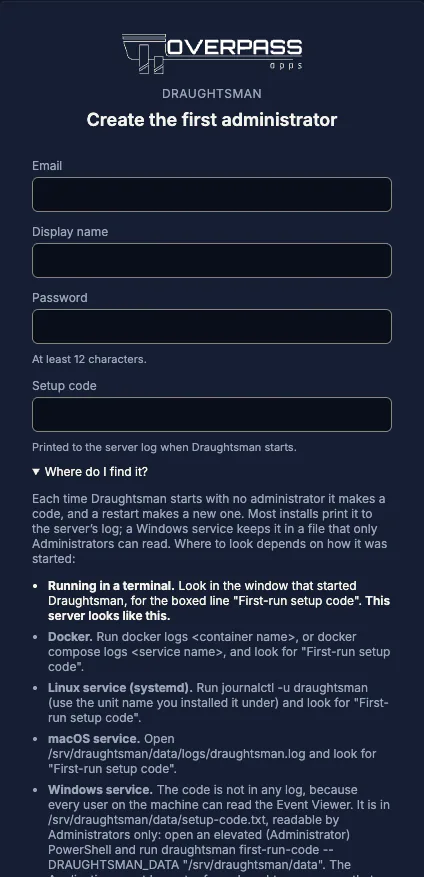
Where the setup code is
The server prints the code to its log every time it starts, and only while no account exists. Where that log goes depends on how you started it.
| You started it | The code is in | Status |
|---|---|---|
| In a terminal | That terminal window. | Run |
| Docker | docker logs <container> (or docker compose logs draughtsman). | Run on Docker Desktop |
| Linux service | journalctl -u draughtsman | Not run |
| macOS service | <data folder>/logs/draughtsman.log, by default /Library/Application Support/Draughtsman/logs/draughtsman.log | Not run |
| Windows service | Not in any log. A file only Administrators can read, <data folder>\setup-code.txt (by default C:\ProgramData\Draughtsman\setup-code.txt); from an elevated PowerShell run draughtsman first-run-code --DRAUGHTSMAN_DATA 'C:\ProgramData\Draughtsman'. See Install, Windows. | Run on Windows 11 Arm64 |
The line looks like this:
warn: draughtsman[0]
      ==================================================================
      First-run setup code: ZQVDE3SHGC
      Enter this on the first-run page (or POST it as setupCode to /api/auth/first-run) to create the
      administrator account. Valid only until an administrator exists; restart to get a new code.
      ==================================================================
Rules worth knowing
- The code lives only in memory. If you restart the server before creating the account, it makes a new code and the old one stops working.
- Wrong guesses are throttled: five from one address, then a
429for 15 minutes. - Once the first administrator exists, first run is closed for everyone. There is no setup code to find afterwards and nothing reopens it.
- The setup code is never emailed and never in a response. A Windows service keeps it in a protected file instead of a log, because every local user can read the Windows Application log and whoever saw the code first could create the administrator. The file is deleted the moment the first administrator exists, and a restart before then replaces it with a fresh code.
What you see first
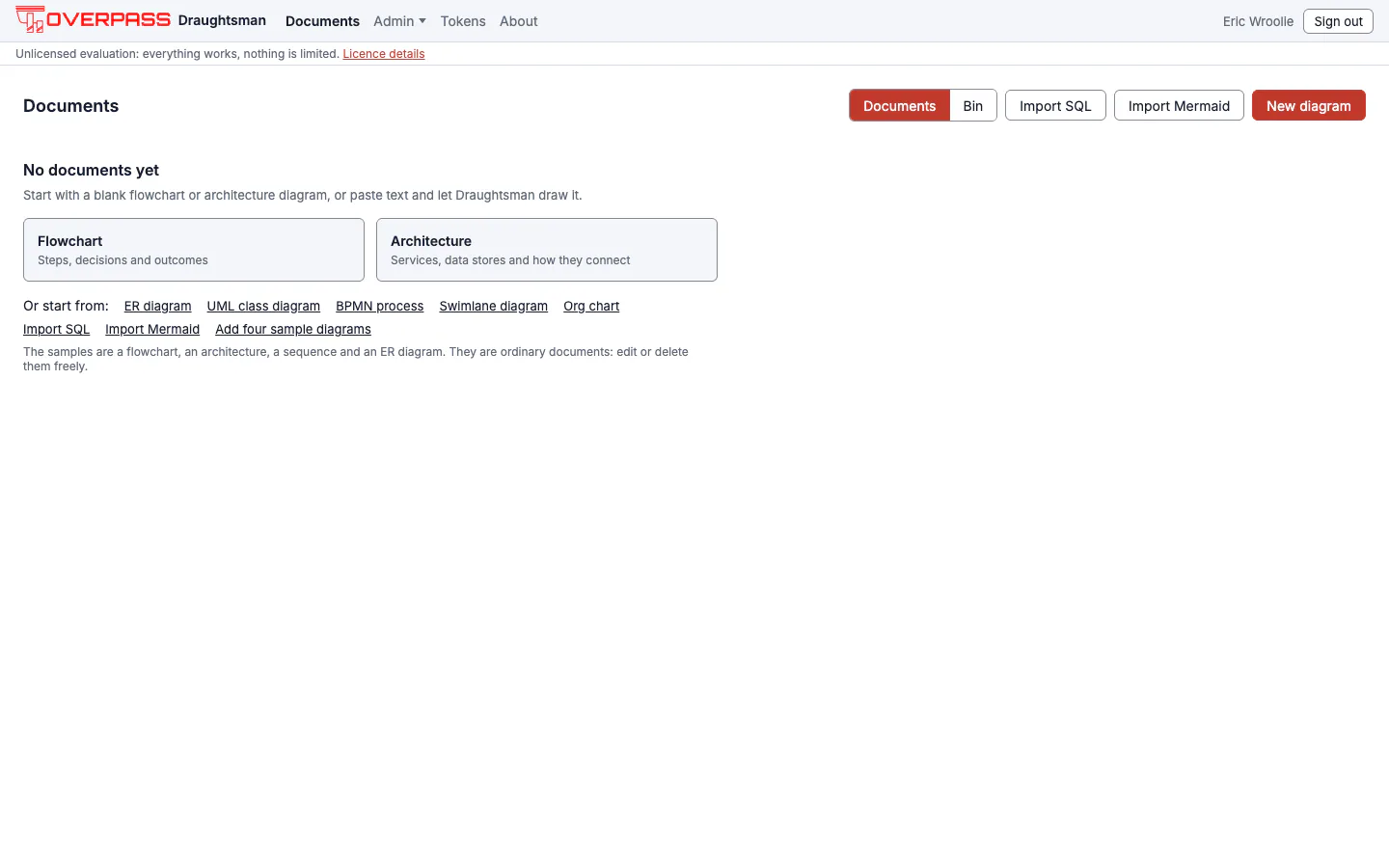
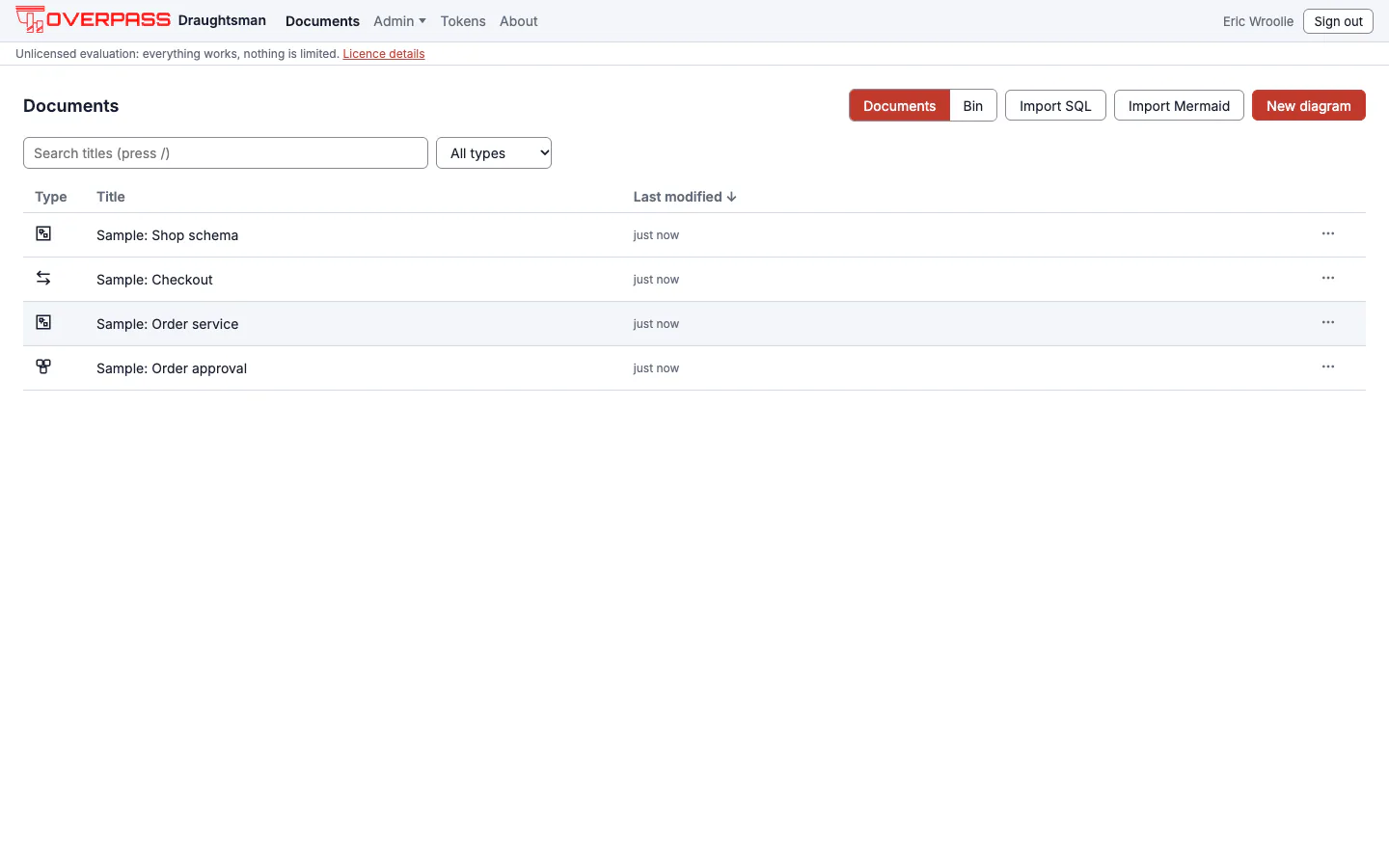
An empty home page with two big starting points (Flowchart and Architecture), shortcuts for ER, UML class, BPMN, swimlane and org-chart starting points, importers for SQL and Mermaid, and a small link, Add four sample diagrams. Samples are offered, never forced: nothing creates them until you press that link, and it appears only on an empty list. It adds a flowchart, an architecture, a sequence and an ER diagram, each titled "Sample: …". They are ordinary documents. Edit or delete them freely.
Help, About and the Status page
- Help menu. In the editor, the menu (the three-line button at the top left) ends with a Help group: the command palette (
Cmd/Ctrl+K), Keyboard shortcuts (press?), Documentation and About. The shortcut sheet is built from the same list of commands as the palette, so it cannot drift from what the keys do. - About (top bar) is the same for every signed-in person: version, build date, licence state in one word, the support contact and documentation address from
draughtsman.yaml, and a link to the third-party notices. It never shows the data folder or anything about the host. - Admin, Status (administrators only) says what this server is running and what is not: the layout service, PDF export, the AI provider, storage, the data folder and where the log goes, and the version. It is read-only and carries the reasons, including the exact advice when PDF export is switched on but cannot print.


If you lose the only administrator
A reset link needs an administrator to create it, and Forgot password? needs email, so neither helps when the only administrator is locked out. On purpose there is no way to recover an administrator account over the network. (For everyone else, see Password recovery and email.) On the server itself, as a user who can write the data folder:
draughtsman reset-admin admin@example.com --generateRun against a scratch data folder, it printed:
Password reset for fixture-admin@example.invalid. Their sessions and API tokens were revoked.
New password (shown once): 4yN3hrFUfnS3RwQPjdVhrYBK                                  (exit 0)
It reactivates the account if it was deactivated, revokes its sessions and API tokens, and ends any reset link that account held, records an admin.recovered event in the security log naming the operating-system user who ran it. An Editor's address is refused unless you add --promote; an unknown address is refused too:
fixture-editor@example.invalid is not an administrator. Re-run with --promote to make them one.     (exit 1)
No account with the email 'nobody@example.invalid'.                                                  (exit 1)
The trust model is that anyone with shell access to the host could already edit the database; the command makes recovery supported and logged. In Docker use docker exec <container> draughtsman reset-admin <email> --generate.
Next
- Add people and make API tokens.
- Set your product name, logo and colours.
- Put TLS in front of it before anyone else signs in over a network.